
Clio template · Microscopy
Microscope slide sticker template
Enter your specimen details once. The form on page 2 updates all 42 specimen labels in desktop Microsoft Word, ready to print, cut and attach to your slides.
Word (.docx) · 47 KB · 2 pages · No macros
Download Word templateFill in the form once. Replace the Aleppo pine example in the grey fields on page 2, then click outside a field to update the labels. Slide numbers remain individually editable on page 1.
Use desktop Microsoft Word for automatic updates. Other editors may not preserve the linked fields.
- Label size
- 24 × 20 mm
- Paper
- A4 full-sheet sticker paper
- Page 1
- 42 specimen labels + 14 optional Clio record labels
- Page 2
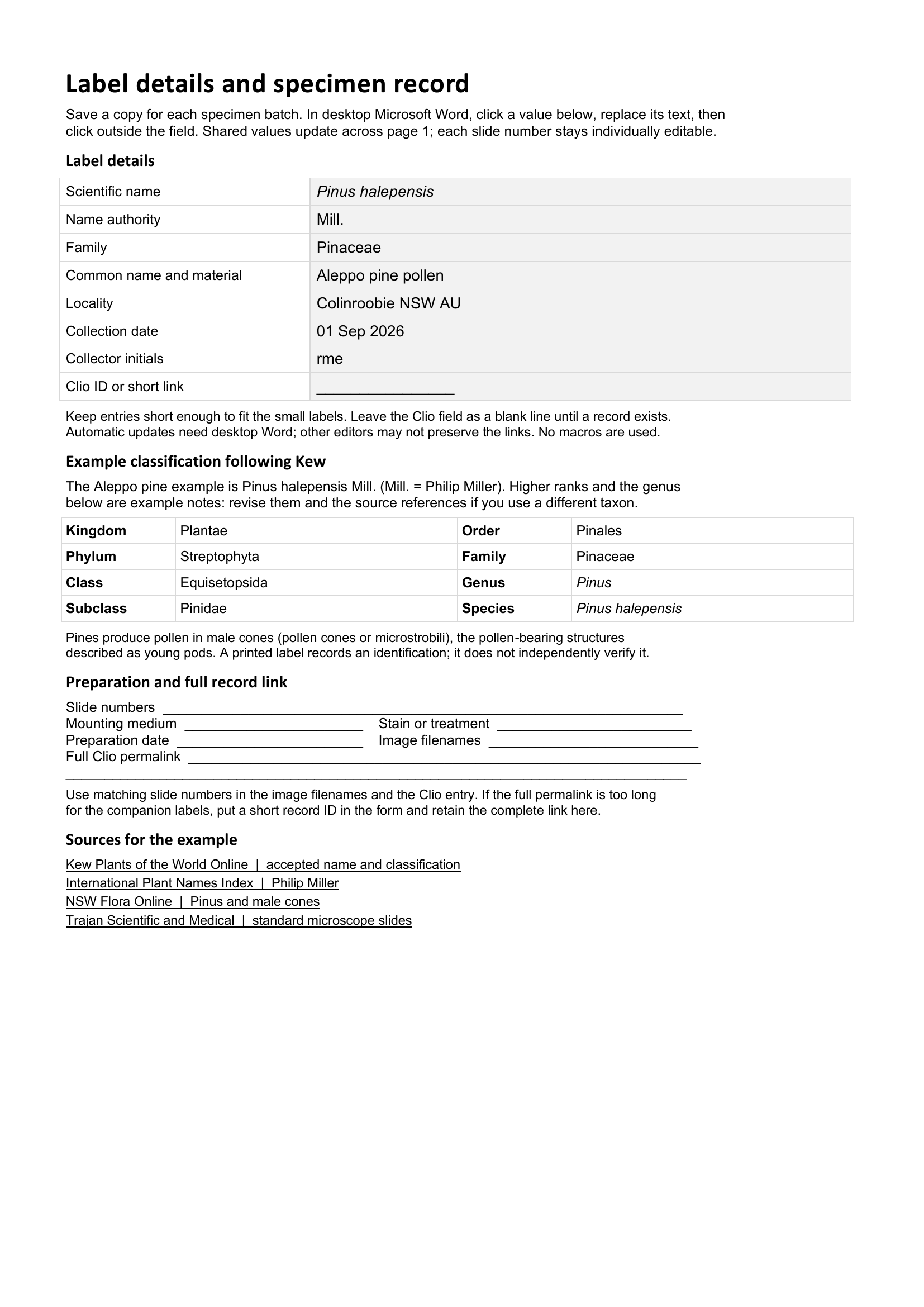
- Shared details form, example classification and specimen log
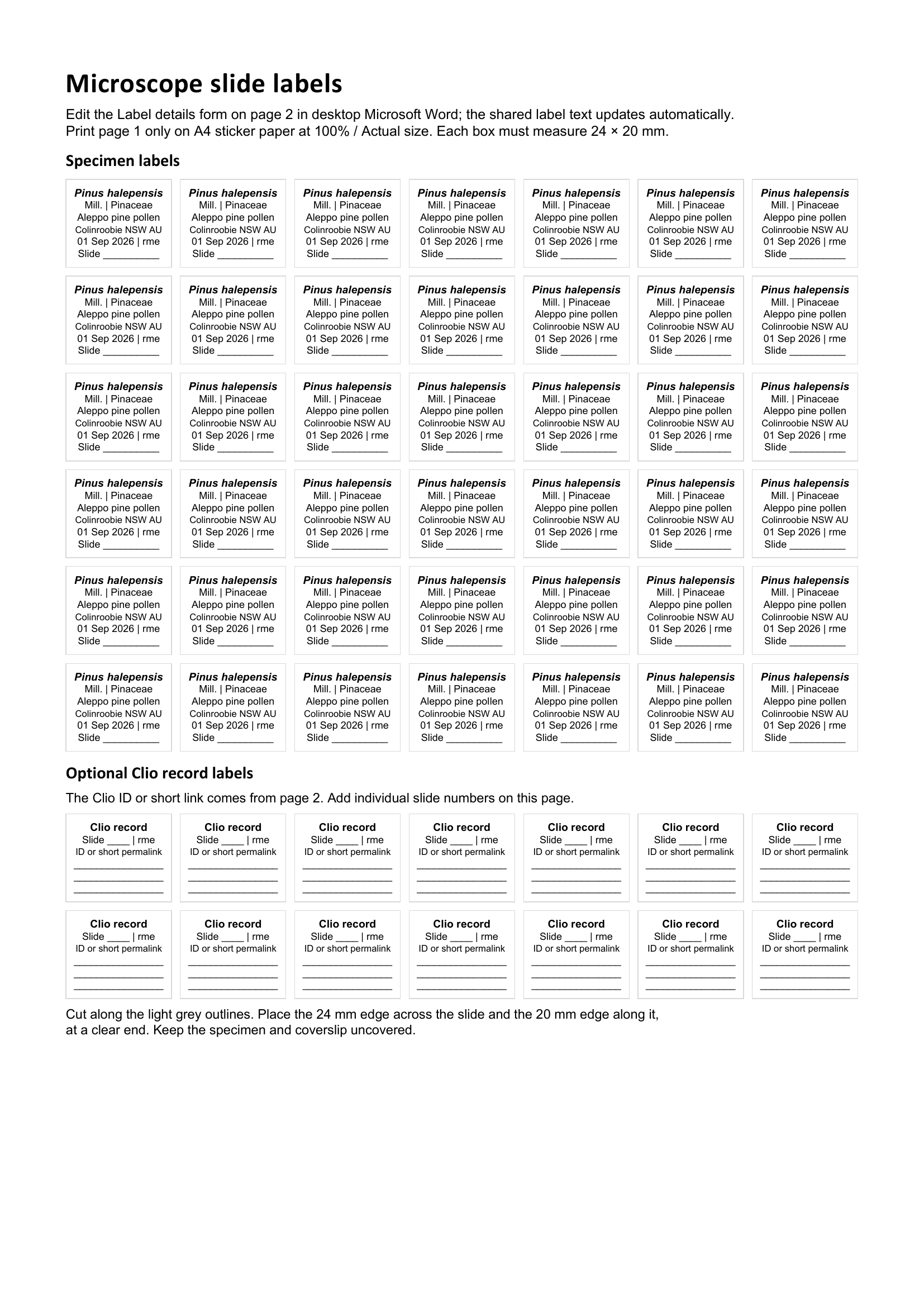
Print from the Word document to preserve the label dimensions.
Preview the linked form on page 2
Printing guide
From document to slide.
-
Edit and number
Save a copy for your specimen batch and open it in desktop Microsoft Word. Edit the eight fields under Label details on page 2, clicking outside each field when finished. The shared text updates automatically across the sheet. Edit slide numbers individually on page 1 and revise the example classification if you change the taxon. Keep the label boxes at their original size.
-
Check the scale
Print page 1 only on plain A4 paper first. Choose 100% or Actual size, one page per sheet, and turn off Fit to page. Measure a label: it should be 24 mm wide and 20 mm high. Check that the text fits after editing.
-
Print and cut
Use a full A4 sheet of sticker paper suitable for your printer. Cut along the light grey outlines. Place the 24 mm edge across the slide and the 20 mm edge along its length, at a clear end. Keep the specimen and coverslip uncovered. Print page 2 separately on ordinary paper for your collection log.
Add the record link when it is ready.
After publishing your observation, copy its full permalink into the specimen log on page 2. Fill in the Clio ID or short link field to update all 14 companion labels. If the full URL is too long to read on a label, keep it in the log and match the slide numbers. The example does not include a published record link.